 |
 |
 |
 |
 |
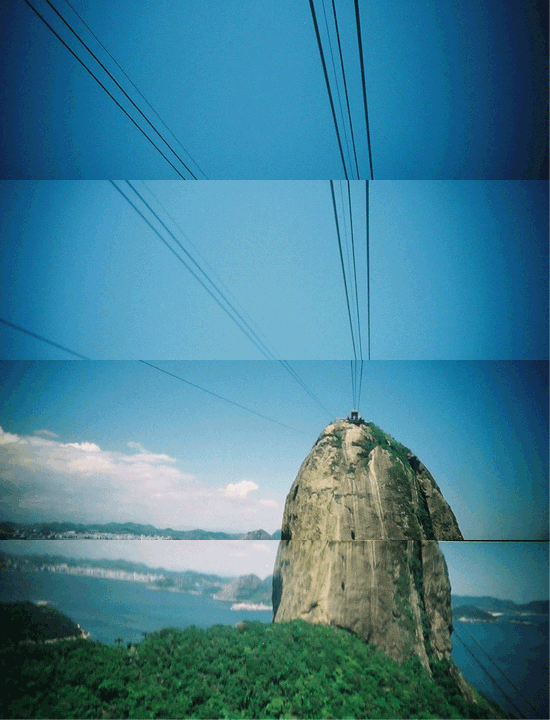
After countless coffee-fuelled days and nights, we're happy to re-introduce you to one of the Lomography website's most popular features – the MiniMovie! Turn your snapshots into fun cinematic movies in just a few clicks, right in your LomoHome. MiniMovies work especially well with Lomographs taken with Multilens cameras such as the Actionsampler, Supersampler and Oktomat but try experimenting with other shots too!
How to make a MiniMovie:
- Login to your LomoHome account.
- Go to your Photos. Click any Photo!
- Click the "Create MiniMovie" button on top of your chosen image.
- You will be taken to the MiniMovie page. Follow the easy-peasy 5 steps.
- Hit Save when you're happy with your movie!
View the video tutorial
|
|
|
 |
To maximize creativity and enhance interaction in the community, we have been integrating convenient features to make your stay at the
Lomography website fun and worthwhile! Here are some of the new features we've introduced this year:
|
|

|
 |
Lights! Camera! Action! Fortunately you don't need a massive budget, moody actors or a complicated setup to make your own MiniMovie.
All it takes are your snapshots taken with Multilens cameras or any of your favorite photos if you're feeling experimental.
Post the links to your MiniMovies and we'll pick the top 3 hits – one winner gets 15 Piggies while 2 winners will get 5 Piggies each!
Share your MiniMovie
|
|

|

|
Share this Newsletter:

 |
Join our Communities:
Facebook |
Twitter |
Flickr |
Tumblr |
Join our Communities:
Facebook |
Twitter |
Flickr |
Tumblr
Lomography International | Hollergasse 41, 1150 Vienna, Austria, + 43 1 899 440
Lomography USA | 19 W 21st Street, Suite 1004 New York, NY 10010 212-529-4353
|
|