




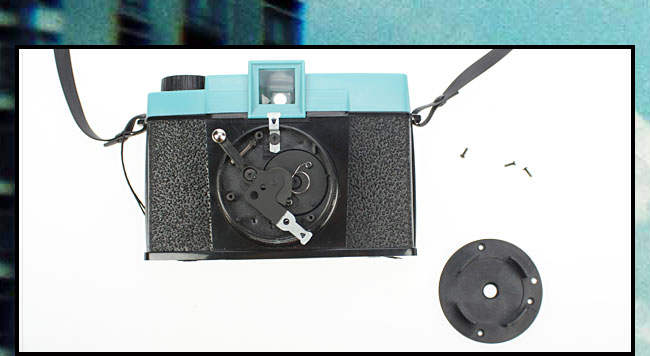



To modify is to diversify. It's about seeing the potential in what you have and having the confidence (or lunacy) to make it happen. Before you lies a Diana... a simple camera in many ways. Take it in your hands and feel its infinite modification possibilities. It is the Dianas simplicity that makes it perfect for messing with. Just as Holga Mods opened up a whole new world for Holga lovers, so too it will be for the Diana! And you will see that it is good!
Onwards to the mods...
Anyone can modify! Just to prove this, our Lomo Mod-Father Mandi, has devised 3 Diana mods for 3 different levels of difficulty. Come armed with screwdrivers and Stanley knives and prepare to bravely go where no one has modified before!

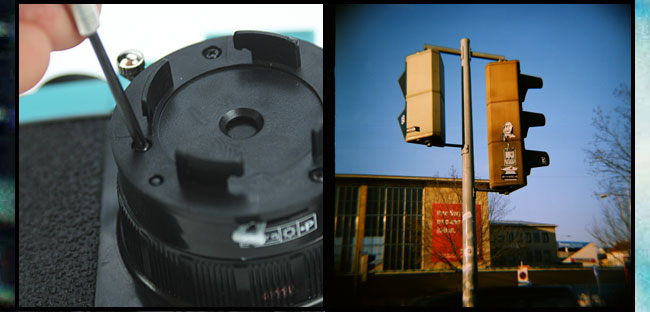



Mod Name: ISO Boost
Level of Skill: Advanced!
Give your Diana an ISO Boost. Have you noticed that the Diana loves how those speedy 400 ISO films snatch up the light? That is just fine, but there are many more varieties of 100 ISO on the market. Rather than miss out on all those daring films why not modify your Diana to achieve the same results as a 400 ISO with a 100 ISO film?
To see Mandi’s full step by step method... follow this link



Mod Name: Diana Masks
Level of Skill: Medium
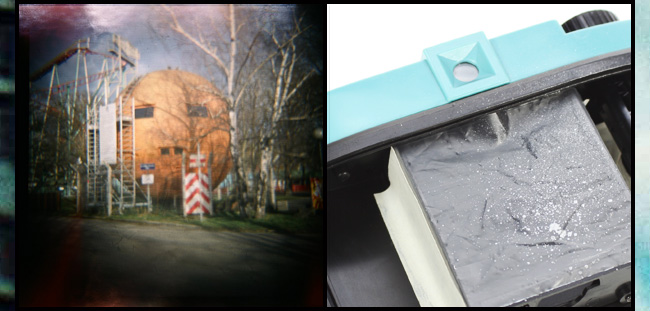
Remember those plastic masks that came with your Diana? You know the ones to use for panorama shots and 12-into-16 shots. We have found a way to recycle them! Hopefully, you haven’t chucked them in the trash already. They slide perfectly in front of your film. When something is put directly in front on the film it can create interesting effects on the shot. Try it out. We have a couple of mask ideas to get you started: the Scratch Mask and the Filter Mask




Mod Name: String-A-Long Tripod
Level of Skill: Easy
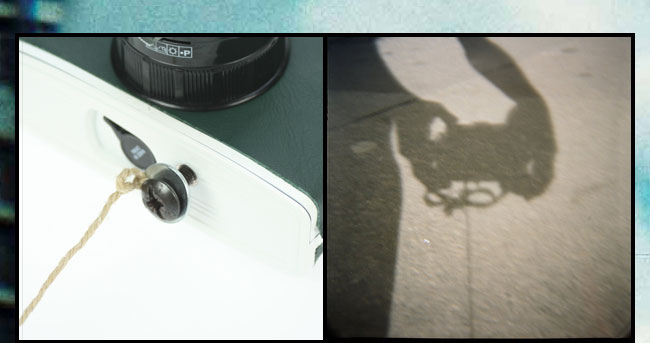
A quick and easy way to get rid of the shake from your snapper. The tools of the trade: 1 long piece of string, 1 screw that fits into the tripod mount at the bottom of your Diana, a disc big enough to fit around your screw (all found at your local DIY store)
- Tie your piece of string around the disc and slot it around the screw.
- Screw everything into the tripod mount
- To create the ultimate tripod effect move the camera to the level you want to shoot at and then put your foot firmly on the string.
www.lomography.com/diana/modifications/tripod

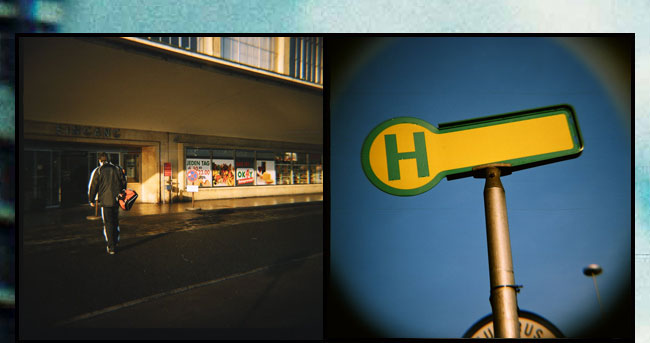


ISO Boost yourself with this Fuji Superia 100 ISO Offer
Perfect for you adventurous Diana modifiers trying out the ISO Boost mod as you can experiment firsthand with some discounted Fuji Superia 120/100 ISO film. Even if you are not on an ISO Boost the Superia’s vivid yet delicate colours with gorgeous fine grain finish will leave you feeling pretty smug about your 120 shots.
5 pack for 20 Eur / US $ – 33% saving
10 pack 35 Eur/ US $ - 33% saving
shop.lomography.com/go/?where=shop&pro=mfn




There is always room for improvement right? On the new tips and tricks page you can taketh and giveth interesting hints on how to make Diana shooting more successful and fun.




www.lomography.com/contact